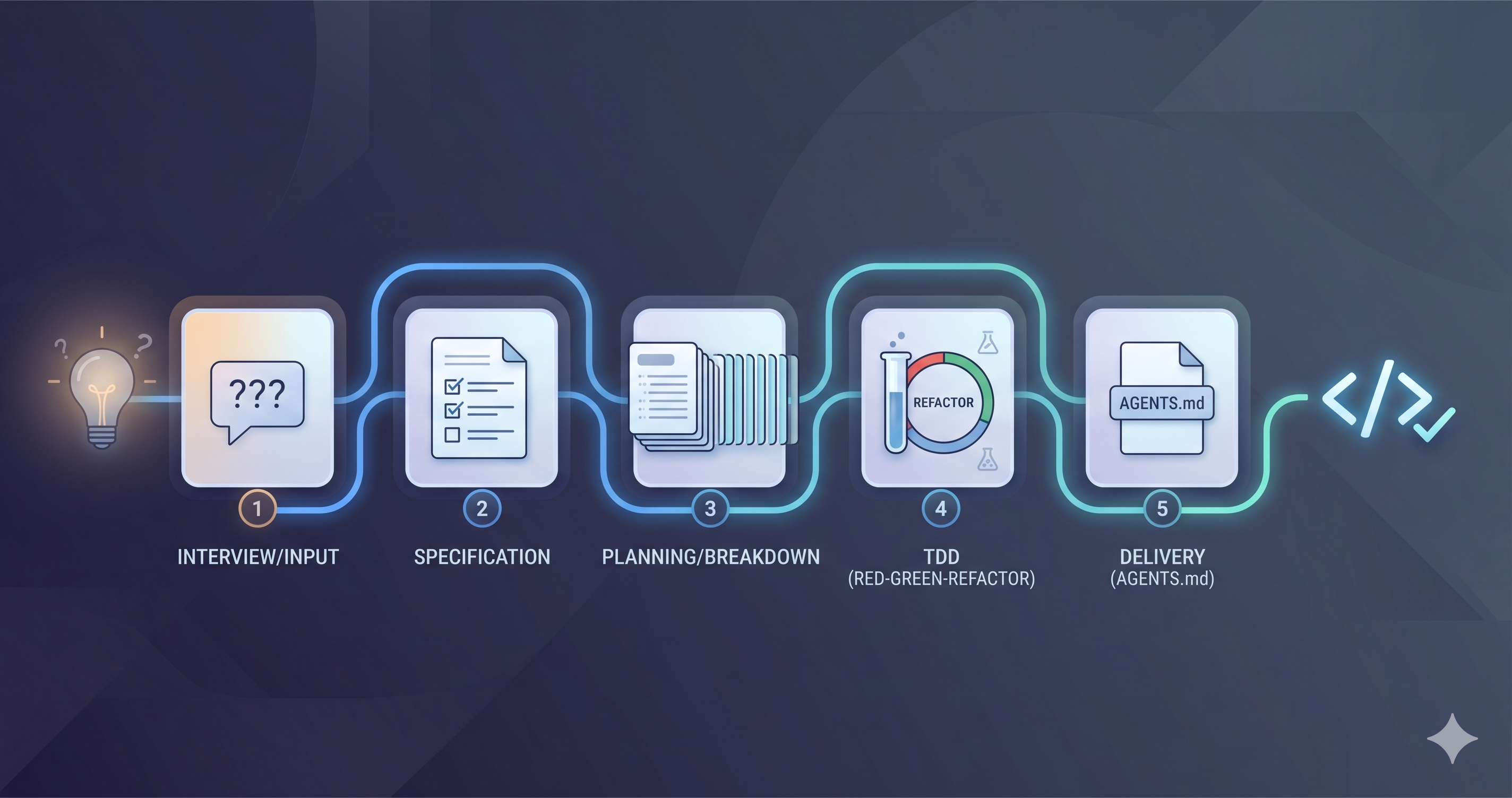
I Tried Using AI for Code Review on My Side Projects (3 Weeks, Real Results)
Three weeks pairing Gemini Flash with Claude Code on side projects: 90% of my tests are now AI-written and I ship 3-4x faster. What worked, what broke. →

Óscar Gallego
Web Developer

On this page
The short version, three weeks in
The setup: solo developer, about 3 years of experience, Google One Pro (I was paying for the storage, it happens to bundle Gemini) plus Claude Code, on side projects.
The results: 90% of my tests are now AI-generated but manually reviewed, features ship 3-4x faster, and the split that stuck is Claude Code for planning, Gemini Flash for execution. I still hit usage limits regularly.
The catch: you review everything. AI makes mistakes, and this workflow only survives on personal projects where I can afford to catch my own bugs.
Worth trying? If you’re solo, building side projects, and hate repetitive code: yes. If you work on critical systems or can’t review AI output carefully: no.
Who am I to tell you this?
I’ve been coding for about 3 years. Not a senior engineer. I don’t manage a team. I don’t work at FAANG.
I’m a developer building side projects, trying to ship faster, and poking at AI coding tools to see if they actually help.
So don’t read this as a definitive guide or best practices from a 10x engineer. It’s three weeks of trying things: what worked, what didn’t, what surprised me. If you’re in a similar spot (solo dev, side projects, limited time), maybe it saves you the experiment.
Building solo is slow because the boring jobs are yours too
When you work on side projects alone, everything lands on you:
- Write all the code
- Write all the tests (boring)
- Handle all the styling (tedious)
- Fix all the bugs
- Review your own code (we all know how that goes)
And honestly? Writing tests is repetitive. Tweaking Tailwind classes for hours numbs the brain. Catching my own bugs is hit-or-miss.
I wanted my time on the interesting parts, building features and solving problems, not on the mechanical stuff.
What I tried, with low expectations
I’d heard people hyping AI coding tools and I was skeptical. “Probably overhyped,” I thought.
But I already had a Google One Pro subscription (for storage, not AI), which includes Gemini. And people kept talking about Claude Code. So: try it for a few weeks and see what happens.
Worst case, I waste some time. Best case, I learn something useful.
Why Gemini Flash specifically
When Google released Gemini 3 Flash, everyone assumed it was the “lite” version of Pro. Faster but less smart. The usual trade-off.
Except the benchmarks said otherwise.
SWE-bench Verified (tests AI on real GitHub issues from actual open-source projects):
| Model | SWE-bench Verified | Cost (API, in / out) |
|---|---|---|
| Gemini 3 Flash | 78% | $0.50 / $3 per 1M |
| Gemini 3 Pro | 76.2% | $2 / $12 per 1M |
Flash scores higher than Pro, runs about 3x faster than Gemini 2.5 Pro (per Google’s Artificial Analysis numbers), and costs roughly 4x less than 3 Pro on both input and output. Weird enough to be worth testing.
(Note: I’m using Google One Pro, not the API, so I don’t pay these rates. But I do hit usage limits regularly.)
The combo that worked: Claude Code thinks, Gemini Flash types
Here’s the thing: I’m not using Gemini Flash alone.
After a week of experimenting, this is the split that actually works for me.
The hybrid workflow
1. Claude Code for planning and research.
- “Research the best way to test this React component”
- “Give me an implementation plan for [feature]”
- “What are the edge cases I should handle?”
Claude Code takes longer but thinks thoroughly. Good for architectural decisions and planning.
2. Gemini Flash for execution.
- “Here’s the plan Claude gave me. Implement it.”
- “Write tests for these functions following this approach”
- “Style this component to match this design”
Gemini Flash executes insanely fast. Sometimes it doesn’t think enough, but that’s what the plan is for.
Separately? Meh. Together? Actually useful.
Why the combo holds up
Claude Code is slow but thorough, exactly what you want for architecture. Gemini Flash is fast but sometimes shallow, exactly what you want for implementing a plan that already exists.
Claude Code: “Here’s HOW we should solve this and WHY.” Gemini Flash: “Got it, implementing now.”
One tool plans, the other one types. That division of labor feels more reliable than leaning on either tool alone.
One real feature: 6.5 hours down to 45 minutes
Here’s how this plays out in practice, on my own portfolio.
How I used to work
Building a new blog feature:
- Research best practices: 1 hour
- Plan implementation: 30 min
- Write the code: 2 hours
- Write tests: 1.5 hours (ugh)
- Style with Tailwind: 1 hour
- Fix bugs: 30 min
Total: ~6.5 hours.
Same feature, with the combo
- Ask Claude Code (5 min):
"I want to add a reading progress indicator to blog posts.
What's the best approach? Consider performance and accessibility."
Claude gives me a plan: scroll event listener, throttling, ARIA labels, etc.
- Hand the plan to Gemini Flash (10 min):
"Implement this reading progress indicator following this plan:
[paste Claude's plan]

Tech stack: Astro, TypeScript, Tailwind"
Flash generates the component code in seconds.
-
Review and refine (15 min): check the code makes sense, fix the obvious issues, test it manually.
-
Generate tests with Gemini Flash (5 min):
"Write tests for this component. Check:
- Progress updates on scroll
- Handles edge cases (top/bottom of page)
- Accessibility attributes are present"- Final review (10 min): run the tests, tweak styling if needed, done.
Total: ~45 minutes.
From 6.5 hours to 45 minutes. No magic involved: I just stopped spending my evenings on the mechanical parts of coding.
Where it actually pays off
Tests: I write the function, the AI writes the suite
90% of my tests are now AI-written. I review every one of them.
// I write this function
function calculateReadingTime(content: string): number {
  const wordsPerMinute = 200;
  const words = content.split(/\s+/).length;
  return Math.ceil(words / wordsPerMinute);
}

// I ask Gemini Flash: "Write tests for calculateReadingTime"
// It generates 8 test cases in 10 seconds
Are the tests perfect? No. Sometimes I fix them. But it beats writing them from scratch by a wide margin.
Tailwind classes without the docs tab
I show Gemini a screenshot or a description of what I want, and it hands back the Tailwind classes.
Me: "Create a card component with:
- Subtle shadow
- Rounded corners
- Hover effect that lifts it slightly
- Dark mode support"

Gemini: [gives me the exact Tailwind classes]

Me: [tweaks 2-3 classes, done]
Saves me from constantly looking up Tailwind documentation.
Three throwaway approaches in minutes
Need to try 3 different approaches? The AI generates all 3 in minutes.
I pick the best one and refine it. Much faster than coding all three by hand.
The honest part: where this falls over
Google One Pro limits arrive fast
I hit the usage limits pretty often. When that happens I either wait for the reset (annoying), switch to Claude Code (which has its own limits), or do it manually (defeats the purpose).
Reality check: if you plan to lean on this heavily, Google One Pro might not be enough. The API with pay-per-use would be better, but that costs money.
Flash is sometimes too fast for its own good
It gives me code that works but misses edge cases. Or suggests an approach that’s technically correct but overcomplicated for my use case.
That’s exactly why Claude Code plans first. Claude thinks deeper, Flash executes faster.
You still review everything
AI makes mistakes. Sometimes subtle ones.
Last week, Gemini generated a test that looked perfect but was actually testing the wrong thing. I only caught it because I read through the test carefully.
If you blindly trust AI-generated code, you will ship bugs. I review every line before committing. Non-negotiable.
Domain-specific code is hit-or-miss
Generic code? The AI handles it well. Your specific business logic? Not so much.
Example: my blog has a custom date formatting system. The AI kept suggesting I use a library instead. Technically correct, but not what I wanted. I had to add it to the prompt: “Don’t suggest libraries for this, just implement the custom logic.”
My actual setup (no GitHub Actions, no API keys)
I use Google One Pro in the browser, so the whole workflow is four phases.
1. Planning (Claude Code)
Open Claude Code (web or app) and ask:
"I need to [describe feature].

Tech stack: [your stack]

What's the best approach? Think about:
- Implementation steps
- Edge cases
- Testing strategy
- Potential issues"
Claude gives me a detailed plan. I save it or keep the chat open.
2. Implementation (Gemini Flash)
Copy Claude’s plan into Gemini Flash:
"Implement this feature following this plan:

[paste Claude's plan]

Tech stack: [your stack]
Files to modify: [list files]

Generate the complete implementation."
Gemini generates code fast. I copy it into my editor.
3. Testing (Gemini Flash)
"Write comprehensive tests for this code:

[paste the code]

Use [your test framework]
Cover edge cases and error scenarios"
Gemini generates tests. I review them and add them to my suite.
4. Review and refine (me)
Read all the generated code. Check for bugs. Test manually. Fix what’s wrong. Commit when it works.
Total time for a typical feature: 30-60 minutes instead of 4-6 hours.
The numbers after three weeks
Real metrics from my portfolio and side projects.
Code generated:
- Features implemented: 12
- Tests written: ~150 (90% AI-generated, 10% manual)
- Components styled: 8
- Bugs caught by AI tests: 7
Time comparison:
| Task | Before AI | With AI | Savings |
|---|---|---|---|
| Feature implementation | 4-6 hours | 1 hour | 75% |
| Writing tests | 2 hours | 20 min | 83% |
| Tailwind styling | 1.5 hours | 15 min | 83% |
| Bug investigation | Variable | Faster | ~50% |
Overall: features ship 3-4x faster than before.
The catch, again: this only works because I review everything. Copy-paste AI code without reading it and you’ll ship bugs left and right.
Flash vs Pro, after a week with each
Gemini 3 Flash
Best for quick implementation tasks, test generation, styling and UI work, and following a clear plan.
Not great for complex architectural decisions, deep debugging, or dense business logic.
Speed: insanely fast (2-5 seconds for most tasks). Cost: free with Google One Pro, with limits.
Gemini 3 Pro
Best for architectural decisions, complex problem-solving, deep code analysis, and explaining why something works.
Not great for quick iterations (takes longer) or simple tasks (overkill).
Speed: slower (~10-20 seconds). Cost: same limits on Google One Pro.
My conclusion: Flash for execution tasks (faster, good enough quality), Pro for thinking tasks (deeper reasoning). But honestly? Claude Code beats both for planning.
The mistakes, week by week
Week 1: I used only Gemini Flash, for everything. Result: fast but messy code with lots of bugs. Lesson: Flash executes, it doesn’t plan.
Week 2: I trusted the AI too much. Copied code without reviewing and shipped a bug that broke my contact form for 2 days. Lesson: always review AI-generated code. No exceptions.
Week 3: found the balance. Claude Code for planning, Gemini Flash for execution, thorough review on top. Lesson: the right tool for each job.
Should you try it?
Yes, if you work solo on side projects, hate writing repetitive code, want to ship faster, and are willing to review AI output carefully.
No, if you enjoy writing every line yourself (totally valid), don’t have time to review AI code, work on critical production systems that need more thorough human review, or expect AI to solve all your problems. It won’t.
Maybe, if you’re skeptical but curious. Fair. Try before committing.
My honest recommendation
I’m not saying this is THE way to code. I’m saying it’s working for me, right now, on my side projects, as someone who’s still learning.
What’s working: 3-4x faster feature development, 90% of tests AI-generated (and reviewed by me), less time on boring stuff and more on interesting problems.
What’s not perfect: I have to review everything, I hit Google One Pro limits, I’m still learning the best prompts, and some tasks the AI just can’t handle well.
After three weeks, I’m convinced it’s worth trying if you’re willing to learn the tools properly, review every line, accept the imperfection, and keep adjusting.
Will it work for you? I honestly don’t know. Try it and see.
FAQ
Can I use Gemini Flash without paying for Google One Pro?
You can use the free tier of Gemini, but you’ll hit usage limits quickly. Google One Pro ($10/month) gives you more generous limits. If you need unlimited usage, the API is pay-per-use (Gemini 3 Flash is $0.50 per million input tokens and $3 per million output tokens).
Is AI code review as good as human code review?
No. AI is good at catching syntax errors, suggesting implementations, and generating tests. It doesn’t understand your specific context, business logic, or architectural constraints. I still review everything myself; the AI just speeds up the mechanical parts.
Which is better: Gemini Flash or Claude Code?
They’re good at different things. Claude Code is better for planning and architectural decisions. Gemini Flash is better for fast execution and test generation. I use both together for the best results.
How much time does it actually save?
For me, about 3-4x faster on feature development. A feature that took 6 hours now takes ~1.5 hours. But I’m still learning, so your mileage may vary.
Do I need to know how to code to use AI coding tools?
Yes. AI doesn’t replace coding knowledge, it accelerates it. You need to understand code to review the output, catch mistakes, and guide the AI effectively. These tools work best for developers who already know what they’re doing.
I’ve been doing this for three weeks. I’m sure I’m missing things, doing parts of it inefficiently, getting some of it plain wrong. That’s the deal with learning in public: you ship the half-formed version and let people poke holes in it.
So poke.
Related reading: if you’re choosing a Gemini model for this workflow, start with the Gemini 3 developer guide.
P.S. Have you tried AI coding tools? Which workflow works for you, and what am I getting wrong here? Tell me on Twitter/X. And if you try this setup, I want to hear how it goes, especially the parts that don’t work.