SwiftData + CloudKit: 5 Model Rules Before You Turn Sync On
SwiftData's CloudKit mirroring needs defaults or optionals, no @Attribute(.unique), optional relationships with inverses, no .deny. What error 134060 means. →

Software engineer · Málaga
On this page
The first SwiftData model I wrote for Rydger has a header comment that still reads: Fields are CloudKit-ready: every attribute has a default value or is optional, so [a later ticket] can switch on CloudKit sync with no schema change.
Rydger is my first native iOS app and my first serious Swift codebase. I had worked with React Native at a company, so mobile state and lifecycle problems were familiar. Letting SwiftData mirror a local store through CloudKit was not.
I wrote that comment before the app could sync anything. The container iCloud.com.rydger.Rydger existed, but ModelConfiguration did not use it yet. The comment forced me to inspect the schema early; it did not prove that sync worked.
CloudKit changes the model before it syncs a byte
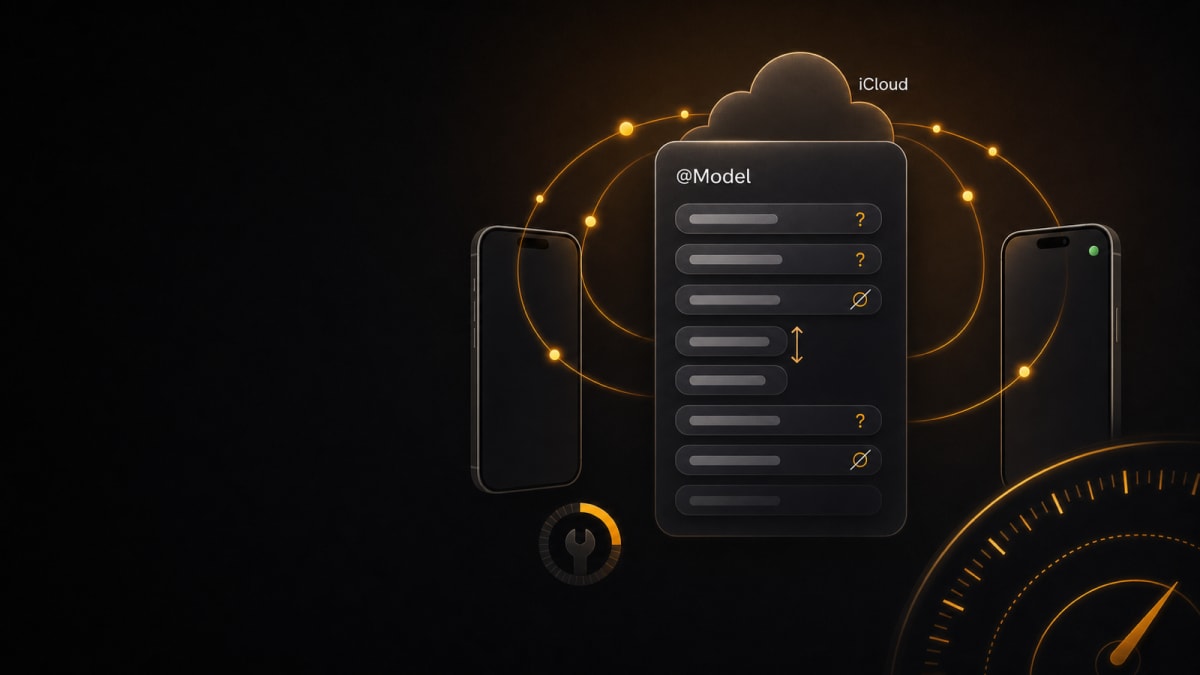
For SwiftData’s automatic CloudKit mirroring, check these five constraints before enabling cloudKitDatabase: .automatic:
- Every attribute needs a default value or must be optional. Use
var make: String = ""orString?, not a required property with no default. @Attribute(.unique)is unsupported. This is a limitation of SwiftData’s CloudKit mirroring, not a claim that CloudKit records have no identity.- Relationships must be optional and have an inverse. SwiftData can infer some inverses; declare
@Relationship(inverse:)when it cannot do so reliably. - The
.denydelete rule is unsupported. Use a supported rule and enforce any extra restriction in your own code. - A production CloudKit schema is additive. Once deployed, existing record types and fields cannot simply be removed or have their types changed. Treat those edits as migration decisions.
An incompatible model still compiles. The useful failure arrives when SwiftData loads the CloudKit-backed persistent store, often as NSCocoaErrorDomain error 134060. If the CloudKit configuration only appears near release, that feedback arrives far too late.
Here is the stripped-down pattern:
@Model final class Vehicle {
    var make: String = ""
    @Relationship(deleteRule: .cascade, inverse: \MaintenanceItem.vehicle)
    var maintenanceItems: [MaintenanceItem]? = []

    init(make: String = "") {
        self.make = make
    }
}

@Model final class MaintenanceItem {
    var title: String = ""
    var vehicle: Vehicle?

    init(title: String = "", vehicle: Vehicle? = nil) {
        self.title = title
        self.vehicle = vehicle
    }
}

struct VehicleInput {
    let make: String
}

enum VehicleMappingError: Error {
    case missingMake
}

extension Vehicle {
    func domainInput() throws -> VehicleInput {
        let value = make.trimmingCharacters(in: .whitespacesAndNewlines)
        guard !value.isEmpty else { throw VehicleMappingError.missingMake }
        return VehicleInput(make: value)
    }
}
The exact relationship annotation depends on what SwiftData can infer from both sides. Check for optional relationships, a valid inverse, and no .deny hidden in the model.
Persistence defaults are not domain defaults
make = "" satisfies the persistence schema. It does not make an empty manufacturer valid in Rydger. If that distinction stays buried in a SwiftUI view, every new screen gets another chance to interpret it differently.
Rydger keeps those decisions in a local package, RydgerCore, which imports neither SwiftData nor SwiftUI. Code at the app boundary reads a Vehicle, rejects or normalises persistence defaults, and passes typed input into pure functions. The package can then run under swift test without booting a simulator.
Let the persistence model satisfy CloudKit, then enforce the stricter rule once when data enters the domain. The conversion fails explicitly instead of letting "" travel through the app pretending to be a manufacturer.
There is a cost: two representations, mapping code, and the risk that somebody bypasses the conversion. I can only claim the stricter type guarantee where the app forces callers through that boundary.
I also store evolving enum values as raw strings and map them explicitly. The fallback belongs to Rydger’s conversion code; CloudKit does not provide it for free. An unknown value should take a deliberate path such as .unknown or a validation error, not silently become whatever case was convenient when the model was written.
The honest limit: schema compatibility is not sync correctness
Removing .unique leaves a real hole. SwiftData maintains the identity of each persistent object, but it does not stop two offline devices from creating two records for the same logical maintenance event. SwiftData’s mirroring will not invent that business rule.
Rydger does not have a universal deduplication solution, and I am not going to pretend otherwise. A deterministic fingerprint can help the app detect equivalent records after fetching them, but automatic mirroring cannot enforce that fingerprint as a global unique constraint. Stronger enforcement needs explicit app-side reconciliation or a different architecture using direct CloudKit or a backend.
The same applies to observation. @Query can keep a view aligned with changes in the local store; it does not explain CloudKit errors, settle business-level duplicates, handle iCloud account changes, or tell the user why another device’s changes have not arrived yet.
Before your SwiftData model settles, run the app with the real CloudKit-backed ModelContainer. That catches schema incompatibilities such as error 134060; it does not prove sync works. Then create, edit, and delete a record on two devices using the same iCloud account. They are separate checks, and the first one is cheap enough to run today.
Sources
- Syncing model data across a person’s devices, Apple Developer Documentation
- Designing and Creating a CloudKit Database, Apple Developer Documentation
Related reading: Harness Engineering: The Model Isn’t Your Bottleneck, another case for moving guarantees to a boundary you can verify.
Case study: the Rydger case study gathers the decisions and what went wrong in the app.
P.S. This is my first native iOS build. If you have hit a CloudKit problem I have not seen yet, tell me on LinkedIn.
Related Posts

Claude Code on iOS: spotted the overload, botched the report